Blockly robot simulator: from drag-and-drop blocks to real Arduino code
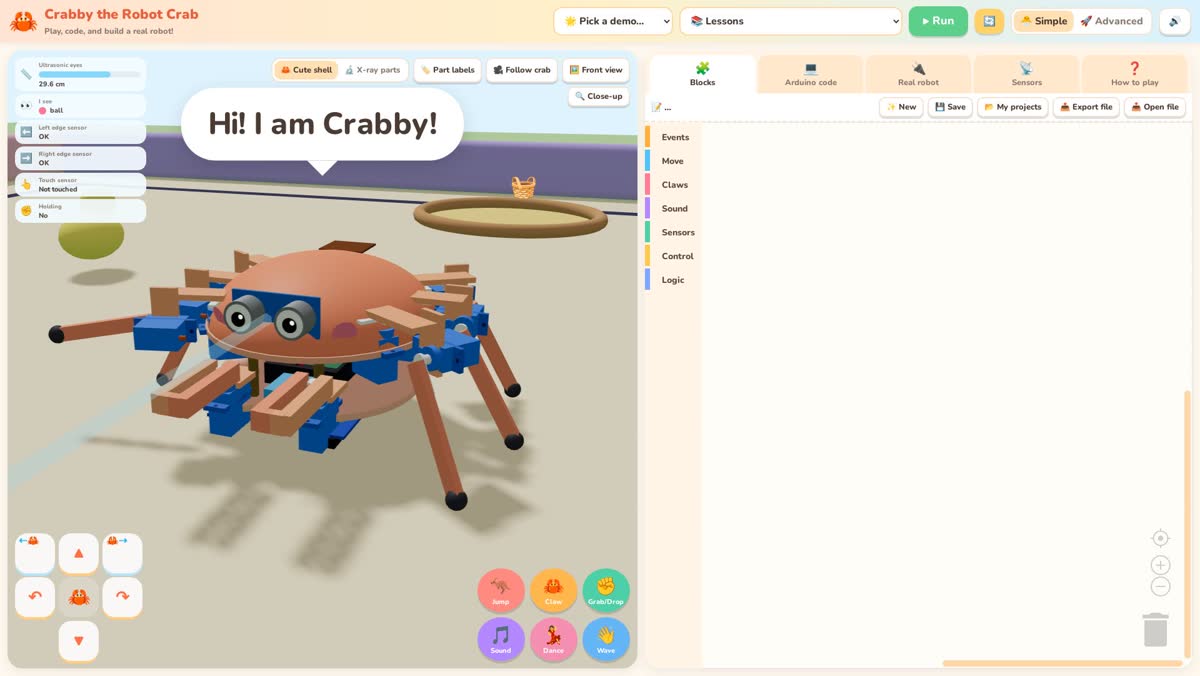
Block coding is a great first step, but kids often ask “is this real programming?” The Crabby simulator answers that by showing two views of the same program: colourful Blockly blocks on one side, and the Arduino C++ they become on the other.
What is Blockly?
Blockly is an open-source library from Google for visual programming. Blocks snap together like puzzle pieces, so programs can't have syntax errors, and children can focus on logic: order, repetition and decisions. Many school coding tools use it.
The blocks in Crabby
Crabby's blocks are designed around a six-legged robot crab with two claws:
- Events: when start, when touched, when something is near.
- Move: walk forward, back or sideways, turn, jump, dance, wave.
- Claws: open or close either claw, grab, let go.
- Sound: notes, beeps, songs and speech bubbles.
- Sensors: distance in cm (an ultrasonic “eyes” sensor), edge sensors, “holding something?” and “being touched?”.
- Control and logic: repeat, forever, if/else, repeat until, comparisons, random numbers and, in Advanced mode, variables.
Simple mode keeps the toolbox small for younger kids. Advanced mode adds variables and more maths.
A simulator with real physics, not just an animation
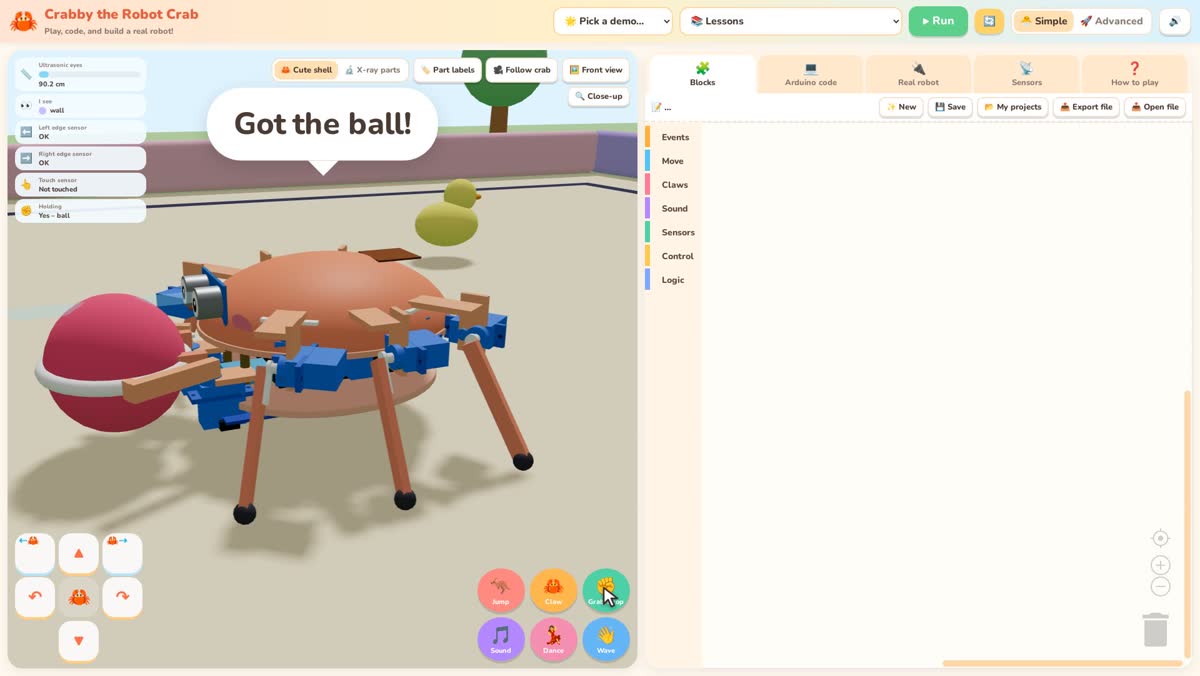
The crab isn't a canned animation. Each leg uses the same gait and servo angles that the real robot's firmware would use. The distance sensor measures actual distances in the 3D scene, and objects such as the ball can be pushed, grabbed and dropped into a basket. If a program walks into a wall, the crab bumps into the wall. That makes debugging honest: what you see is what your program did.
From blocks to Arduino code
Open the Arduino code tab and you'll see a complete sketch for an ESP32 board using a small CrabRobot library. For example, walk forward 2 steps becomes crab.walk('F', 2); and a repeat 4 times block becomes a for loop. Variables become float variables, and when touched becomes a callback function. The code updates live as you edit blocks, so kids can see how each block maps to a line of C++.
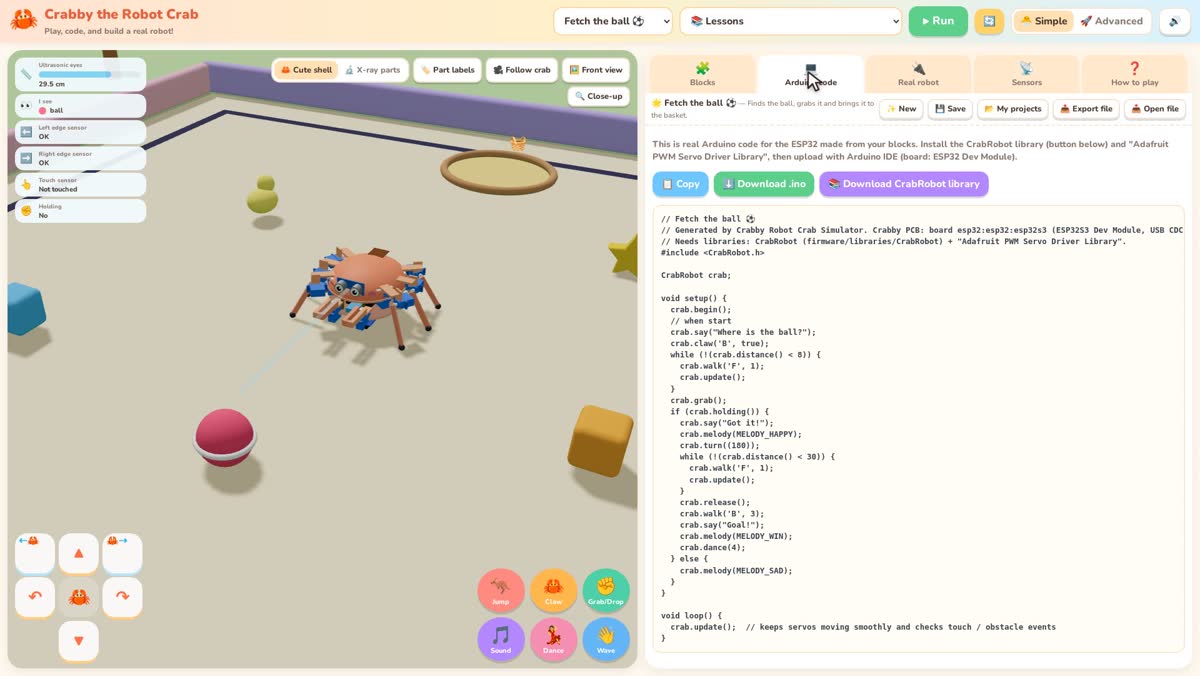
We compile-check the generated sketches for the ESP32 with arduino-cli during development, so this isn't pseudo-code. Note that the physical robot is still a Maker Preview: the code compiles, but the hardware hasn't been built and tested yet.
Who it's for
- Kids 8–11 can stay in Simple mode with events, movement, sound and loops.
- Kids 11–14 can move on to sensors, if/else and variables, then read the generated C++.
- Teachers get a structured path: start with the free Lesson 1, then the 5-lesson pack.
Privacy and cost
The simulator is a static web app. Nothing is uploaded and there's no account, ads or analytics. Projects are saved in your browser, and you can export them as small .crab.json files to share.
Share and save
Projects autosave in the browser. You can also Export a .crab.json file and Import it later, which is how the lesson pack ships its starter and solution files. Teachers often keep a “solution” folder and a “challenge” folder and let students open them when they get stuck.
The free Lesson 1, then loops, sensors and variables, is enough for a short club or a multi-week classroom unit. See the free robot coding lesson for kids for the 45-minute plan, and the Starter Lesson Pack ($9) for the full set.