A free robot coding lesson for kids (ages 8–14), ready to teach in 45 minutes
Want a first coding lesson that kids enjoy and that doesn't take you a weekend to prepare? This page walks you through Crabby Lesson 1: First moves. It's a free, printable lesson in which children program a cartoon robot crab in the browser. No installs, no accounts, no robot to buy.
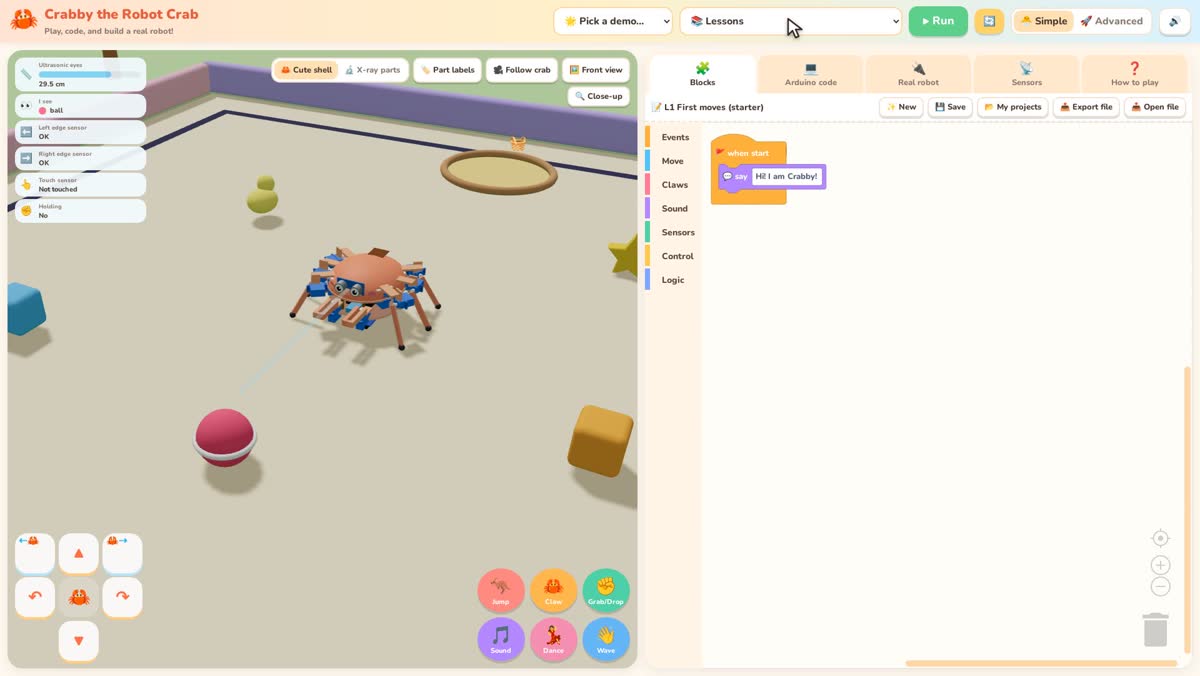
What children learn
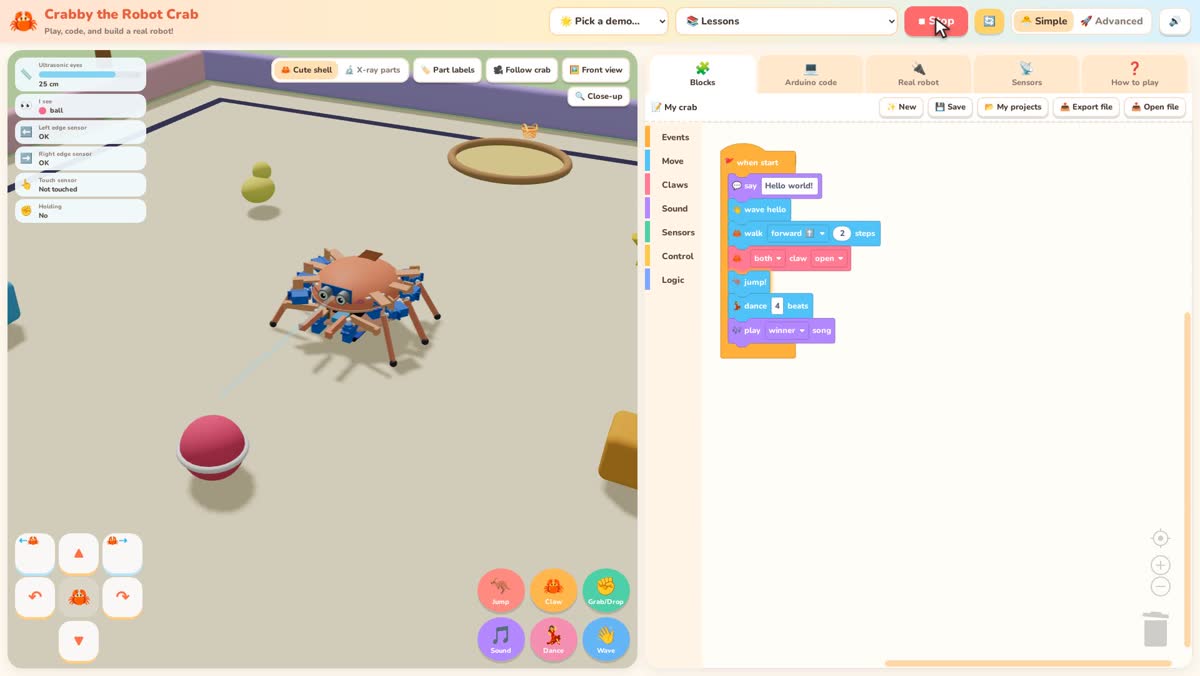
Lesson 1 teaches the most important idea in programming: a sequence. A program is a list of instructions that runs from top to bottom, one at a time. Kids snap blocks such as walk forward 2 steps, turn right 90 degrees, open claws and play the hello song under a green when start block. Then they press Run and watch each block light up while the crab does it.
By the end of the lesson students can:
- build a program of at least six connected blocks,
- run, stop and reset the simulator,
- explain in their own words what a sequence is,
- change one number and predict what will happen before they press Run.
That last skill, predict, then test, matters more than any single block. It's the start of debugging.
What you need
- A computer or tablet with a modern browser (Chrome, Edge, Firefox or Safari).
- The free Crabby simulator. It runs in the browser, has no ads, no cookies and no personal tracking.
- The free Lesson 1 PDF (worksheet plus teacher notes). It's free to print for your class.
- Optional: a real Crabby robot. The same programs can drive it over USB, but Lesson 1 works fine on screen only.
The 45-minute plan
- Hook (5 min). Show the crab and ask: “How would you tell a robot to walk to the duck?” Collect ideas on the board. Kids naturally say things in order, and that's a sequence.
- First run (5 min). Students open L1 First moves (starter) from the Lessons menu and press Run. Crabby says hello.
- Build (20 min). Following the worksheet, they add wave, walk, turn, claws and a song. The worksheet has a screenshot of the real app for every important step.
- Look under the hood (5 min). The Arduino code tab shows the same program as real C++ for an ESP32 microcontroller. Most kids find it exciting that their blocks became “real code”. See how block coding turns into Arduino code.
- Challenges (10 min). Walk to the yellow duck, change the speech bubble to your name, or walk sideways like a real crab.
Common mistakes (and how to help)
- Loose blocks. A block dropped near the stack but not snapped in never runs. Ask: “Is it touching the block above?”
- Forgetting to reset. The crab starts from wherever it stopped last time. The 🔄 button puts it back.
- Giant numbers. “Walk 50 steps” means a bump into the wall. That's great for a laugh and for a talk about choosing sensible numbers.
The teacher notes in the PDF include the answers, a short list of key concepts and a three-level assessment checklist (not yet / almost / yes!). You can tick it off while walking around the room.
Is it really free?
Yes. The simulator and Lesson 1 are free, with no sign-up. If your class enjoys it, the Crabby Starter Lesson Pack ($9) adds four more lessons: loops (a dance party), sensors with if/else (avoid obstacles), variables (count steps and grab the ball) and a mini project that combines everything. Each lesson comes with starter and solution files that we tested in the simulator.
Classroom tips that save time
- Project the simulator on the board for the first five minutes so everyone sees the same crab.
- Have students open Lesson 1 from the Lessons menu themselves; finding the menu is half the skill.
- Print one worksheet per student, but share devices if you need to: the app stores projects in the browser, and Export File writes a small
.crab.jsonthey can take home. - End with a “gallery walk”: each pair shows one change they made and what they expected vs. what happened.
Where to go next
- Open the free simulator and try Lesson 1 yourself first (10 minutes).
- Download the printable Lesson 1 PDF.
- Curious about real hardware? Read the DIY ESP32 robot crab overview. The hardware is an honest Maker Preview and hasn't been tested yet.