DIY ESP32 robot crab: parts, wiring and an honest status report
Crabby started life as a simulator, but it's designed around real, cheap hobby parts. This page explains the hardware design, what you'd need to build one, and, just as importantly, what hasn't been tested yet.
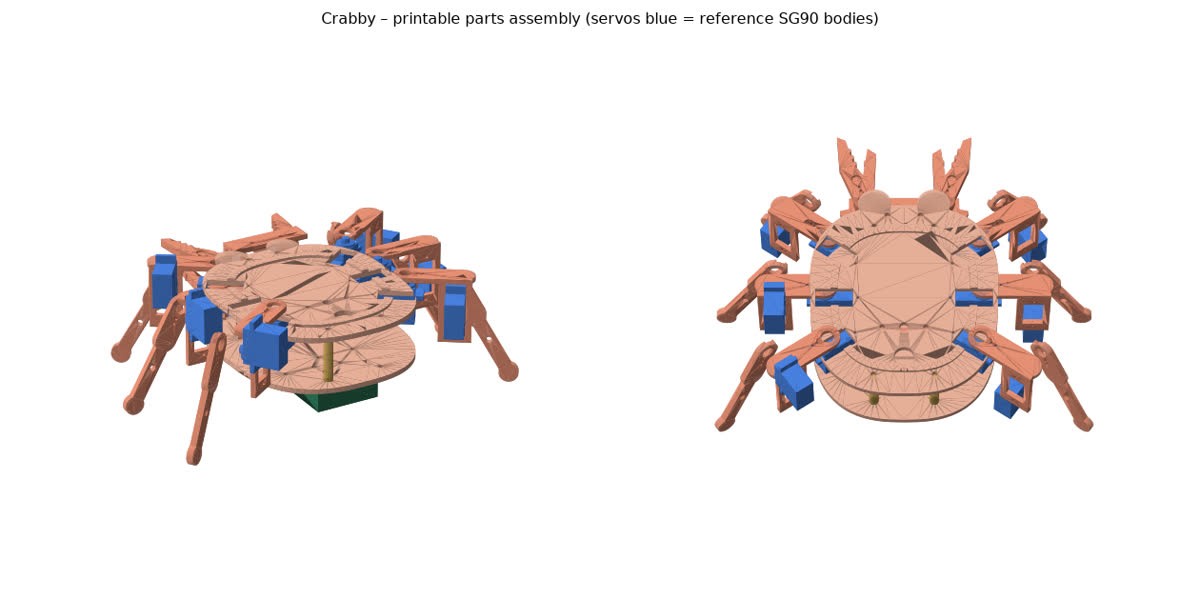
The design in one paragraph
Six legs with two servos each (hip and knee) walk in a tripod gait, and two more servos drive the claws: 14 SG90 micro servos in total. A PCA9685 board drives all the servos over I²C. An ESP32 DevKit runs the firmware, reads an HC-SR04 ultrasonic sensor (the crab's “eyes”), two TCRT5000 IR edge sensors and a copper-tape touch pad, and plays tunes on a passive buzzer. Power comes from two 18650 Li-ion cells through a fuse, a switch and a 5 A UBEC.
Parts list (approximate)
- ESP32 DevKit V1, PCA9685 16-channel servo board
- 14 × SG90 servos, plus spares (MG90S metal-gear servos are a recommended upgrade for the legs)
- HC-SR04, 2 × TCRT5000, passive buzzer, copper tape
- 2 × protected 18650 cells, holder, 2S BMS, 5 A UBEC, fuse and switch
- About 150 g of PLA/PETG and a little TPU for the feet, plus M2/M3 screws
The parts cost roughly US$45–50 before tools. Prices vary a lot by country and shop, so treat that as an estimate.
Wiring
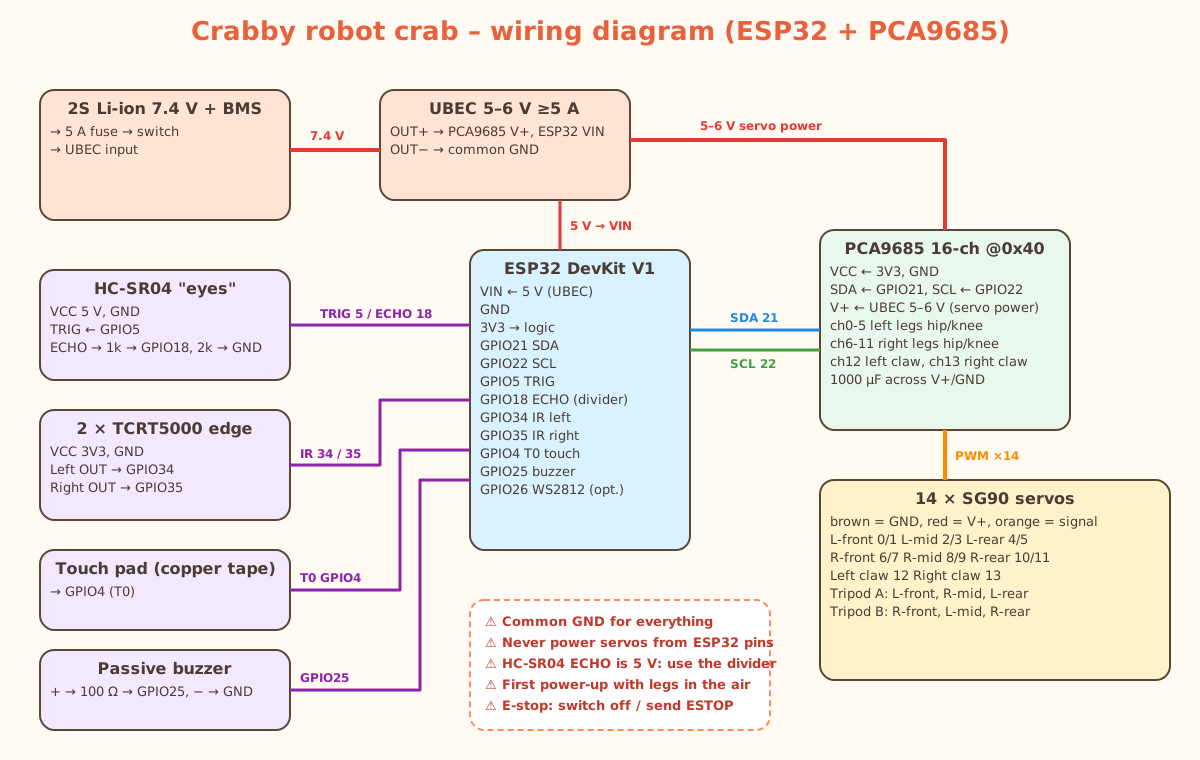
The key safety rules: share one ground, power the servos from the UBEC (never from the ESP32 pins), put a voltage divider on the HC-SR04's 5 V echo pin, and keep the robot's legs in the air the first time you power it up.
Firmware and the simulator link
The CrabRobot Arduino library implements the same walk, turn, jump, claw and sensor functions as the simulator. The crab_live sketch lets the browser drive the real robot over USB with Web Serial (in Chrome or Edge), so the robot copies the simulator. A calibration sketch saves per-servo trims to flash. Any block program in the Blockly simulator can also be exported as a standalone Arduino sketch.
Optional custom PCB
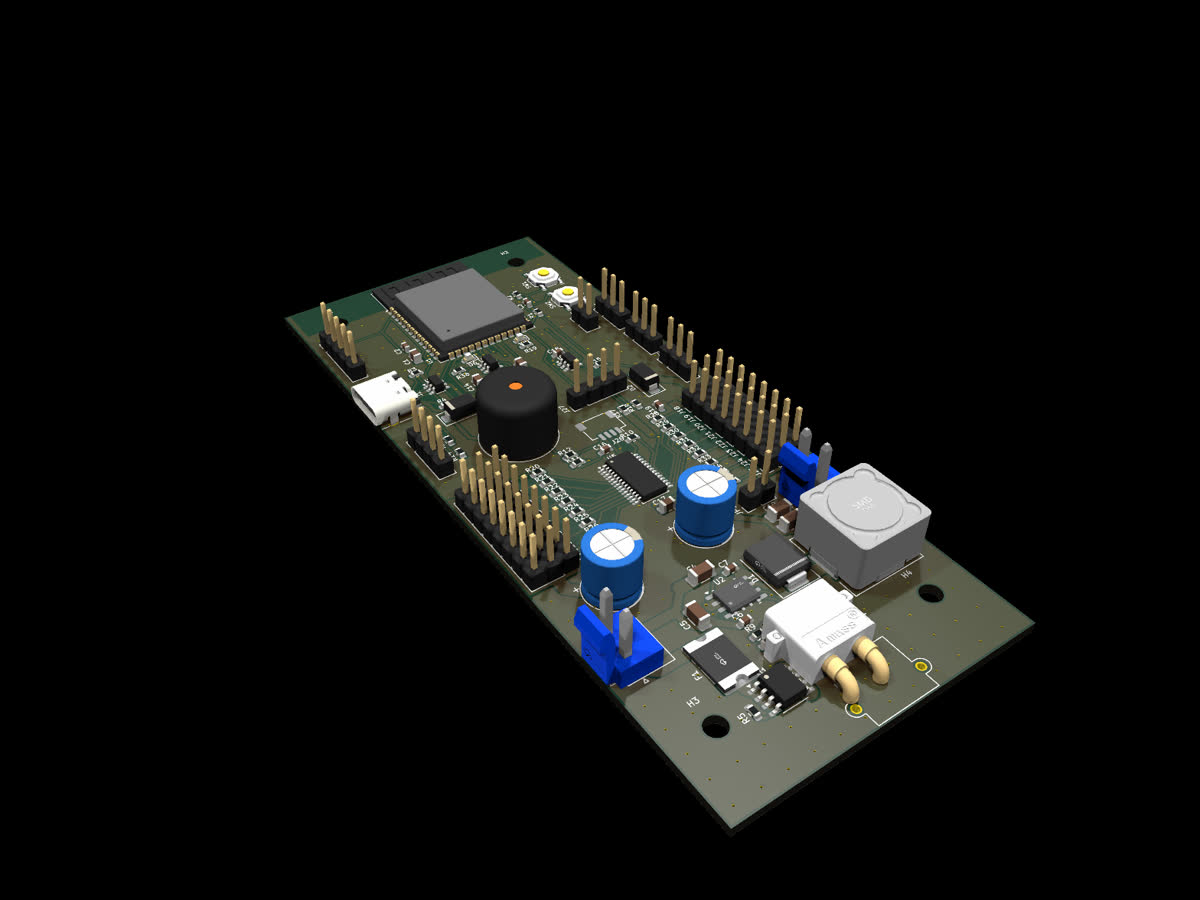
For a tidier build there is an optional 2-layer board built around an ESP32-S3-WROOM-1-N16R8 module. It has USB-C, reverse-polarity protection, a 5 A servo regulator and connectors for every sensor. It passes the KiCad electrical and design-rule checks, and the JLCPCB fabrication files are ready, but no boards have been made yet. We recommend building the breadboard version first.
What's in the build kit
The Crabby Build Kit, Maker Preview ($15) is a digital download. It contains 14 STL files and the FreeCAD source, print settings, the parts list, the wiring diagram, firmware and libraries, ready-to-flash binaries, a step-by-step bring-up and calibration guide, and the optional PCB files. It doesn't include physical parts. Because the hardware is untested, please treat it as a project for experienced makers, and tell us what you find so the next version can fix it.
What still needs a prototype
- Physical fit of the SG90 pockets and horn recesses (print one hip bracket and one leg first).
- Servo power under full load and the hop (SG90s are weak; MG90S is the safer choice for legs).
- Sensor noise, edge false triggers and battery runtime in the real world.
- Assembly time for a first-time builder, and whether the bring-up guide is clear enough without us in the room.
The Build Kit includes a printable prototype checklist with pass/fail tables and go/no-go criteria for anyone building the first unit. If you do build it, please send photos, measurements and the checklist results. They go straight into the next revision.
Start without hardware
You can do everything on screen first: open the free simulator, try the free Lesson 1, and build your programs before a single part arrives. When you're ready for parts, the digital Build Kit ($15) has the files.